
You leave for work. The door clicks shut. And then, in your imagination, your cat throws a party: knocking things off shelves, holding court on the kitchen counter, and teaching the houseplant a lesson in respect.
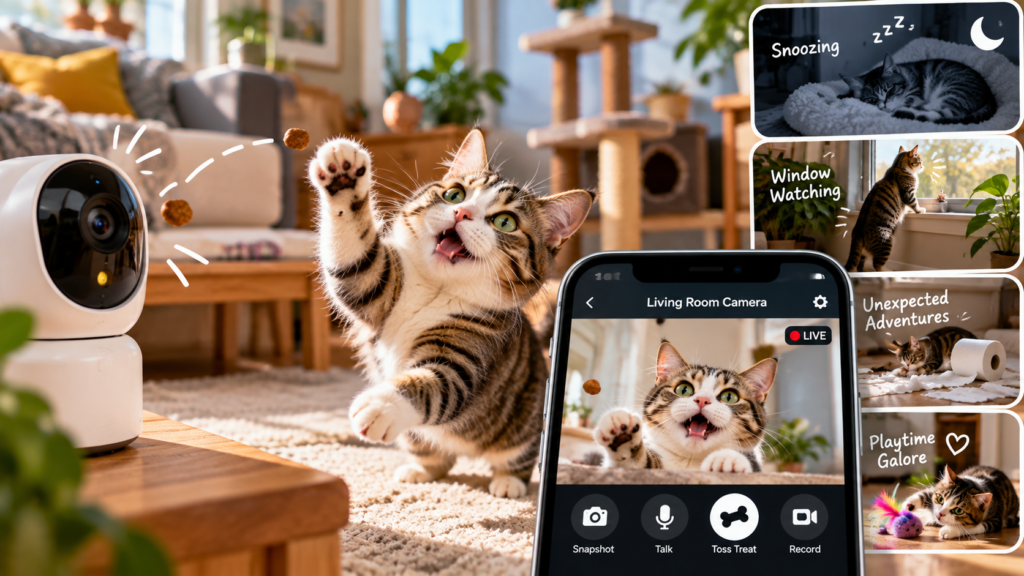
The truth is usually much sweeter and much lazier: most cats sleep for the majority of the day, with short bursts of window-watching, snacking, and the occasional dramatic sprint. If you want to see for yourself, a pet camera is the easiest way to check in. The best ones let you watch live, talk to your cat, and (the fun part) toss a treat from your phone. Here’s what to look for and which cameras are worth a peek.
Why Get a Pet Camera?
Besides pure curiosity, there are real benefits:
- Peace of mind. A quick look tells you your cat is fine, napping in the sun like a loaf of bread.
- Spotting problems early. You might notice vomiting, limping, or odd litter box habits you’d otherwise miss.
- Catching bad habits. Is it the cat who’s been knocking over the plant, or did you imagine it? The footage knows.
- Checking in on senior or shy cats. Handy if your cat is older, recovering, or newly adopted.
- Keeping an eye on multiple cats. Helpful if you’re wondering who’s bullying whom.
- Bonding from afar. Two-way audio lets you say hello, though results vary. Some cats look around for you, and some just ignore the voice from the ceiling.


What to Look for in a Pet Camera
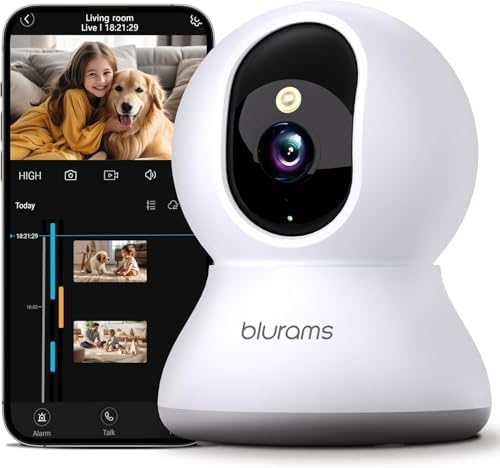
- Video quality. Look for at least 1080p HD, with night vision, since cats are most active at dawn, dusk, and the middle of the night.
- Wide view or pan/tilt. A cat can be anywhere, so a camera that rotates or has a wide angle helps.
- Two-way audio. Great for talking to your cat, or for scaring off a counter-surfer.
- Treat tossing. Fun, and can add engagement, but only works well if your cat actually likes the treats.
- Alerts. Motion and sound alerts are useful, especially for catching unusual activity.
- App quality and subscription costs. Check what’s included for free and what requires a paid plan before you buy.
- Security. Pick a reputable brand, use a strong password, and turn on two-factor authentication.
The Cameras Worth Considering
1. Furbo 360° Cat Camera
Made specifically for cats, this camera rotates 360 degrees, has a wide-angle view, two-way audio, and a rotating treat-toss feature that’s designed to land snacks in different spots, which encourages cats to move around. It’s one of the better-known pet cameras around.
Good to know: Some features work without a subscription, while advanced alerts and certain extras require a paid plan. Check the listing details before you buy.
Best for: Owners who want a camera designed with cats in mind, and who like the idea of tossing treats.
![Furbo 360° Cat Camera [Core Features, No Ongoing Cost]](https://m.media-amazon.com/images/I/31HwHmvF8AL._AC_.jpg)
- BASIC SEE, TALK & TOSS FEATURES INCLUDED, NO SUBSCRIPTION REQUIRED – Included features: 1080p live view, 360° rotating v…
- FULL HD 360° ROTATING CAT SECURITY CAM – Best-in-class 1080p video with a motorized 360° rotating view covers your entir…
- REAL-TIME 2-WAY AUDIO & COLOR NIGHT VISION – Seamlessly hear and speak with pets and family members at home, with in-app…
2. Petcube Bites 2
A pet camera with a built-in treat dispenser, a wide-angle view, 1080p video, night vision, two-way audio, and motion and sound alerts. It works well for dogs and cats.
Good to know: Some smart features are part of a paid plan.
Best for: Owners who want a classic “camera plus treat launcher” combo.
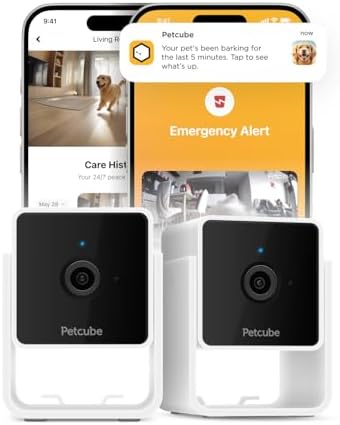
- STOP WONDERING. START KNOWING: See, hear and comfort your pet in vivid 1080p HD. A 110° wide-angle view covers the room,…
- KNOW BEFORE IT’S SERIOUS: The first signs of trouble are easy to miss. Daily Diary recaps your dog or cat’s day and Smar…
- A VET IN YOUR POCKET: Clinic visits add up fast — and most start with a simple question. Get instant answers from our AI…
3. Petcube Bites 2 Lite
A slightly simpler version of the Bites 2, with 1080p video, night vision, two-way audio, and a treat dispenser. It’s a good entry point if you want treats without the extra features.
Best for: Budget-conscious owners who want the treat-tossing fun without the full feature set.

- YOUR ALL-IN-ONE PET MONITORS: With Petcube pet cams, check on your pet anytime from your phone with 1080p HD video, 160°…
- TREAT YOUR PET REMOTELY: Bites 2 Lite has a dishwasher-safe treat dispenser with 1.5 lbs container that allows you to to…
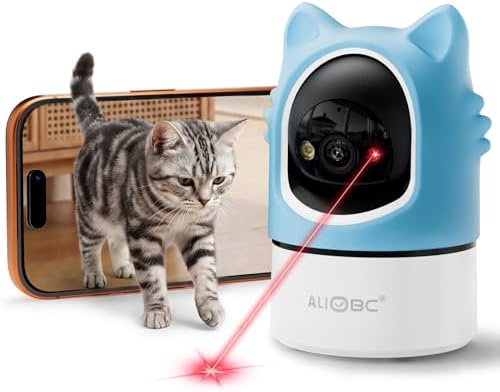
- PLAY WITH LASER FROM YOUR PHONE: With a built-in pet and human-safe laser toy, controlled from your phone, or set to aut…
4. Wyze Cam Pan v3
A budget-friendly pan, tilt, and zoom camera with 1080p video, color night vision, two-way audio, and motion tracking. It doesn’t toss treats, but it follows your cat around the room, which is a big plus for large rooms or active cats.
Best for: Owners who mainly want to watch their cat and keep costs low.
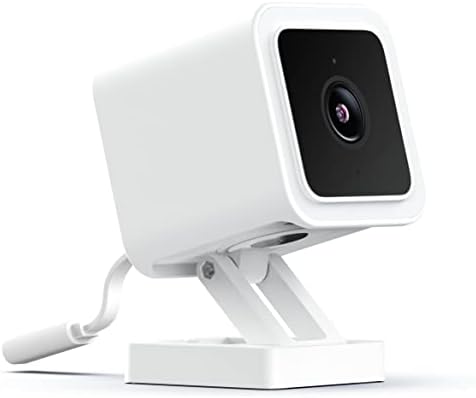
- Color night vision: An all-new Starlight Sensor records night time video in full, vivid color. The Starlight Sensor can …
- Indoor/Outdoor: Wyze Cam v3 is a wired video camera with an IP65 rating so you can confidently install it outside in the…
- Easy to set up: Plug it in, power it up, and complete setup through the Wyze app. Then the included 3 months of Cam Plus…
5. eufy Indoor Cam E220
A pan-and-tilt indoor camera with 2K video, AI detection for humans and pets, and motion tracking. It’s designed to work without a separate hub, so setup is simple.
Best for: Owners who want sharper video and smart detection without a treat dispenser.
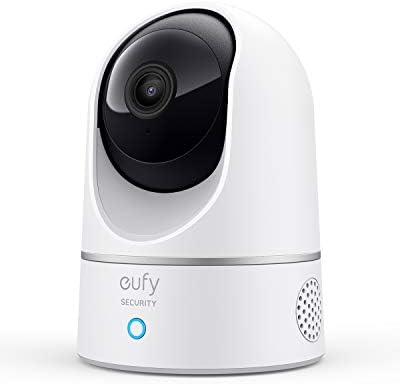
- 𝐑𝐞𝐥𝐞𝐯𝐚𝐧𝐭 𝐑𝐞𝐜𝐨𝐫𝐝𝐢𝐧𝐠𝐬 | The on-device AI determines whether a human or pet is present and only records when an event of in…
- 𝐓𝐡𝐞 𝐊𝐞𝐲 𝐢𝐬 𝐢𝐧 𝐭𝐡𝐞 𝐃𝐞𝐭𝐚𝐢𝐥 | View every event in up to 2K clarity (1080P while using HomeKit) so you see exactly what is h…
- 𝐒𝐦𝐚𝐫𝐭 𝐈𝐧𝐭𝐞𝐠𝐫𝐚𝐭𝐢𝐨𝐧 | Connect your IndoorCam to Apple HomeKit (download our HomeKit User guide in the product information …
Quick Comparison
| Camera | Treat Toss | Pan/Tilt or 360° | Best For |
|---|---|---|---|
| Furbo 360° | Yes | 360° rotation | Cat-focused features |
| Petcube Bites 2 | Yes | Wide-angle view | Camera and treats combo |
| Petcube Bites 2 Lite | Yes | Wide-angle view | Simpler, budget-friendly |
| Wyze Cam Pan v3 | No | Pan/tilt/zoom | Low-cost room tracking |
| eufy Indoor Cam E220 | No | Pan/tilt | Sharper 2K video |
A Few Things to Know About Treat Tossing
Throwing treats from your phone is delightfully fun. But keep it healthy:
- Count the calories. Treats should be a small part of your cat’s daily intake, so use tiny pieces or part of her regular kibble.
- Don’t overdo it. A few tosses a day is plenty. Cats can get fixated on the dispenser and start waiting for it.
- Use treats your cat likes and that fit your vet’s recommendations for her diet.
- Watch your multi-cat household. Faster or bolder cats may hog the snacks.
- Skip it if your cat is on a special diet or has weight problems, and ask your vet first.


Where to Place Your Camera
- Choose a spot with a good view of where your cat spends the most time, such as a cat tree, a window, or the living room.
- Keep it out of reach, since cats love to knock things over (and chew cables).
- Avoid pointing it toward the litter box if you want to preserve your cat’s privacy. Or, don’t. It’s your call.
- Avoid direct sunlight and bright windows, which can wash out the image.
- Keep cords tucked away to prevent chewing.
Privacy and Security Tips
You’re essentially putting a camera in your home, so take a few precautions:
- Use a strong, unique password and turn on two-factor authentication.
- Update the firmware and app regularly.
- Choose reputable brands and review their privacy policy.
- Consider covering or turning off the camera when you’re home.
- Be mindful of guests, and tell them if there’s a camera in the room.
What the Camera Might Show You
A camera can be a real eye-opener. If you notice any of these, mention them to your vet:
- Repeated vomiting
- Limping or reluctance to jump
- Excessive meowing or pacing when you’re gone
- Not eating or drinking
- Litter box trouble
- Overgrooming or signs of stress
A camera can’t replace a vet visit, but it can give you valuable information to share.

The Bottom Line
A pet camera is part security guard, part nature documentary, and part snack launcher. If you want a cat-focused option with treat tossing, Furbo and Petcube are the classic picks. If you’d rather just watch, Wyze and eufy offer solid, affordable pan-and-tilt options. Whichever you choose, keep the treats modest, protect your privacy settings, and prepare yourself for the likely reveal: your cat spent eight hours asleep on your favorite sweater.
Disclaimer: This article is for general informational purposes only and is not a substitute for professional veterinary advice. Features, pricing, and subscription requirements can change, so check each product’s listing before buying. If you notice concerning changes in your cat’s health or behavior, please consult your veterinarian.